Fig App Reviews: Does This Food Scanner Deliver on Its Promises?
Our Fig app review explores where this food scanner delivers and where it falls short by examining its features, pricing, user impressions, and alternatives.
Sign up for Olive
Fig and similar scanning apps promise to simplify grocery shopping by enabling users to identify avoided or incompatible ingredients and find suitable swaps. But is Fig comprehensive enough to help you develop healthier habits and an optimized lifestyle?
In this Fig app review, we examine the app’s core features, pricing transparency, potential shortcomings, and an alternative, Olive, with a broader approach to healthy living.
- How the Fig app works and who it’s designed for
- How much the app costs and how accessible it is
- How real users feel about the app
Live cleaner and start feeling better today.
Sign up for OliveFig Food App Review: What’s the Scanner?
Fig app (Food Is Good) was designed by a team of dietitians and engineers, many of whom live with food sensitivities or allergies and draw on personal experience when warning about or recommending ingredients or products. Fig’s main goal is to simplify shopping for people living with dietary restrictions, no matter how specific they may be.
Through your personal Fig profile, you can customize your dietary preferences, sensitivities, avoided ingredients, and food allergies on an ingredient-by-ingredient basis. The app offers a high level of customization, supporting numerous diets, including:
- Candida overgrowth
- GERD
- Gluten-free
- Lactose-free
- Low FODMAP
- Mediterranean diet
- Paleo
- Pescatarian
- Whole30
Due to its ingredient-based personalization, Fig claims to accommodate all food allergies, including egg, fish, shellfish, and wheat, as well as pollen food allergy syndrome (PFAS). The app also supports preference customization across 2,800+ ingredients, including added sugar, added salt, artificial flavors, capsaicin, sweeteners, and seed oils.
Fig evaluates ingredients with support from dietitians and community experts, linking them to different types of allergies, diets, and avoidances. When you scan a food item, the app compares your listed restrictions with the item's ingredient and allergen information and flags any incompatible components.
The app cannot promise absolute certainty, though. It advises users to carefully review product labels and contact restaurants or food manufacturers to confirm food safety, especially in cases of severe allergies or cross-contact risks. Fig positions itself as a guide for identifying foods likely to meet your requirements, rather than the only source of truth.
Bonus: See how Fig stacks up against the Yuka app in our detailed comparison.
How Your Fig Works
Your Fig is your personal profile, created by specifying three vital criteria:
- Diets
- Food allergies
- Ingredient preferences or avoidances
Fig evaluates the compatibility of scanned items with your preferences. You can also manually search for foods that fit your profile through either the Fig app or its browser extension.
For even more relevant evaluation and recommendations, Fig allows you to set one of three severity levels for each restriction: preference, intolerance, and severe.
Preference means that you generally prefer to avoid an ingredient. Intolerance signals that you must avoid a certain ingredient, but cross-contact isn’t an alarming issue, whereas severe excludes both the presence of the ingredient and the possibility of cross-contamination.
Here’s how the Fig app treats ingredient ratings based on your selected severity levels:
| Category | Grocery Ratings* | Restaurant Ratings |
|---|---|---|
| Preference | Yellow | Not factored in when identifying compatible restaurants |
| Intolerance | Red | Factored in when identifying compatible restaurants |
| Severe | Red, including relevant cross-contact alerts | Factored in, including available cross-contact information |
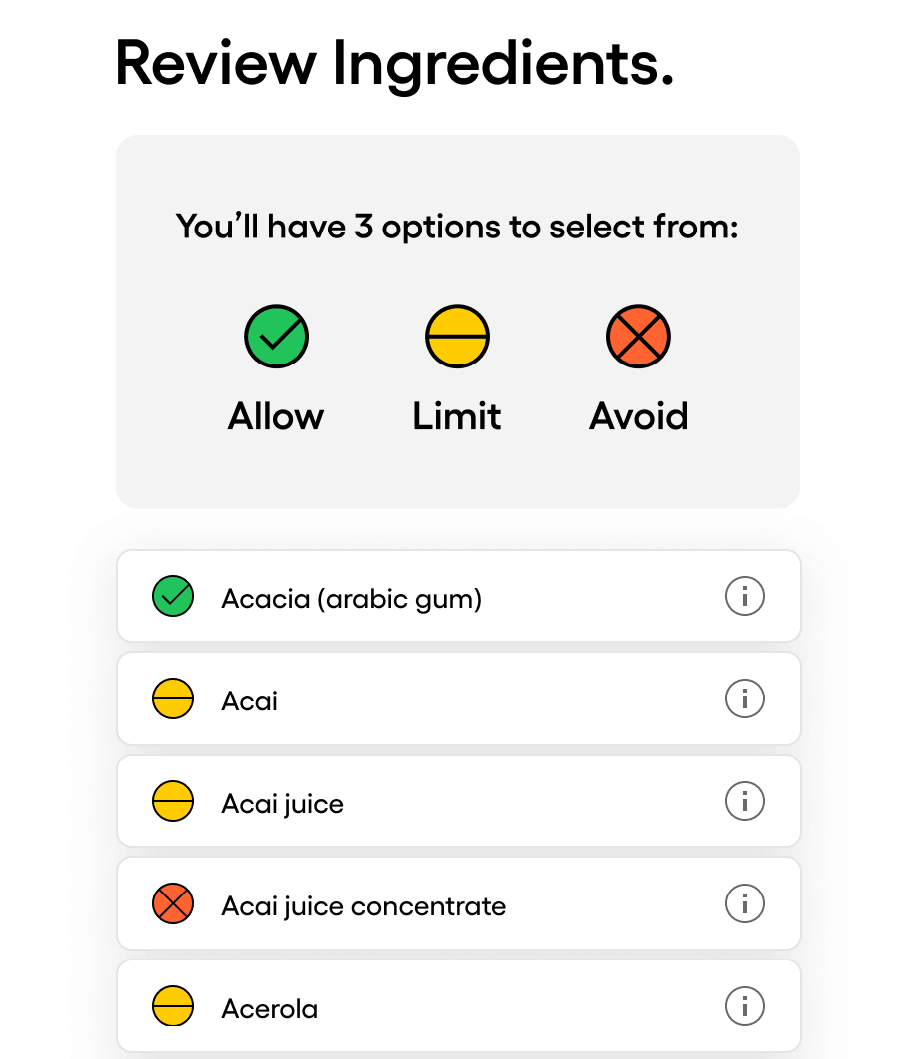
The app draws information from food labels and restaurant websites and matches it against Your Fig. You can also tap the yellow and red ingredients to learn why they were flagged.
*Fig app uses a color-coded system to rate foods depending on their suitability for your dietary needs:
- Green check: No avoided ingredients were identified
- Yellow dash: Some ingredients may not fit your preferences
- Red X: Certain ingredients don’t fit your dietary needs
Instant Barcode Scan
Allergen Detection
Clear Ingredient Insights
Get Personalized Suggestions
Fig’s Main Features
Check out Fig’s main features and functionalities in the following table:
| Key Features | Details |
|---|---|
| My Fig | Create a highly customized profile specifying your diets, avoided ingredients, intolerances, and allergies |
| Color-coded ingredient analysis | Review ingredients through a color-coded system and tap individual flagged components to understand potential risks |
| Barcode scanning | Scan an item’s barcode to automatically check whether it fits your dietary needs |
| Manual product search | Browse products that fit your profile and see the grocery stores where they’re available |
| Fig Restaurant* | Search for suitable restaurants based on information gathered through restaurant websites or Fig’s communications with the restaurant |
| Multiple Figs* | Create up to five dietary profiles within a single Fig+ account and set up individual dietary preferences |
*Available only through the paid Fig+ subscription.
Is the Fig App Legit?
Fig is a legitimate app available through the App Store and Google Play. It is, however, currently available only in the U.S. and is primarily designed for this market.
The app allows you to manually search for products that match your dietary preferences across many major grocery and specialty stores, including:
- Aldi
- Amazon
- CVS
- Central Market
- Key Food
- Metro Market
- Walmart
- Whole Foods
One detail that may cause some users to question the app is that the official price for the paid Fig+ subscription isn’t openly listed.
Fig’s pricing page only states that both annual and monthly subscriptions are available, describing the annual fee as approximately “the cost of a cup of coffee each month.” Fig+ is free for the first seven days, after which the subscription automatically renews annually unless canceled. The free version grants unlimited searches and five barcode scans per month.
Bonus reads: Explore our reviews and comparisons of other popular food-scanning tools:
- Yuka app reviews
- Yuka app alternative
- Bobby Approved app review
- Think Dirty vs. Yuka
- Yuka vs. Bobby Approved
- Yuka vs. EWG
Fig Reviews: Real-World User Impressions
The Fig app holds a 4.7-star rating on App Store, based on ~15,000 customer ratings. Many users share how the app has helped them shop more confidently, find alternatives that match their dietary profiles, and simplify life with food intolerances.
One user with IBS reported that, after years of struggling to research grocery items, they can now shop without stress. Another reviewer shared that they no longer feel anxious when visiting the grocery store because the app has helped them feel more empowered and informed.
In less-positive Fig app reviews, complaints cite reported inaccuracies, such as the app failing to filter out every product that contains a flagged ingredient. Another reviewer expressed dissatisfaction with the paid Fig+ subscription, noting that the app seemed more geared toward food allergies than intolerances, and that many products were flagged as unsuitable despite their set preferences.
Is Fig App Worth It?
Fig may be a viable choice for people with food allergies and dietary sensitivities, especially since its free version includes unlimited searches and five monthly scans. However, it’s designed to adapt food recommendations to dietary preferences and restrictions, not necessarily to support a broader clean-living approach.
Due to this high level of scrutiny, the app may automatically rule out foods that conflict with your profile, even when they wouldn’t generally be considered harmful or low-quality. The vague pricing policy may also be a deterring factor.
If you prefer a more comprehensive approach that evaluates ingredient quality from a scientific perspective rather than solely through a dietary lens, Olive may be a better fit. It’s a holistic health companion that supports clean-living choices and helps build sustainable habits.
Olive Helps You Build a Cart You Won’t Have To Question
In addition to barcode scanning and manual product search, Olive assigns each product an overall score from 0 (worst) to 100 (best). It also rates ingredients individually and provides plain-language, AI-backed explanations of each component’s potential health effects.
Olive’s scores are never influenced by paid collaborations or advertising. Its methodology is backed by independent laboratory findings rather than opinion-based or crowdsourced databases.
In addition to food evaluation, Olive encompasses personal care, cosmetics, water, and household products, supporting a multidimensional, whole-home clean-living approach. Here’s how Olive works in practice:
- It helps you recognize the hidden enemies across your pantry, toiletry cabinet, and makeup and remove the load before you start rebuilding.
- It guides you toward selecting healthier alternatives within the same category, while explaining why the swaps are recommended.
- It offers personalized guidance for your sustainable weight loss and overall well-being through tailored peptide protocols and 1:1 health coaching.
Try Olive for free on iOS or Android. Your onboarding journey starts with the 28-Day Kitchen Detox, helping you create a clean slate for long-term change while gradually building healthier habits. You can use the barcode scanner to instantly inspect the products throughout your household and receive recommendations for cleaner alternatives. If you don’t notice a meaningful difference in how you and your family feel in 28 days, Olive provides a full refund.
Olive results include a user-friendly, color-coded per-ingredient rating: 🟢green for low risk, 🟡yellow for moderate risk, and 🔴red for high risk. This makes potentially harmful components easier to recognize.
Olive’s product analysis also incorporates independent laboratory testing for contaminants, including mercury, arsenic, lead, and cadmium, across 400+ products, resulting in a scope broader than Consumer Reports'.
Take this quick 5-minute quiz to try Olive for free.
This app completely changed how I grocery shop. I've been using Olive and it's honestly amazing! 🙌 It's completely changed how I shop. I can scan anything and instantly know what's really in it, without having to Google ingredients. As a mom, that peace of mind is everything. It makes grocery shopping so much easier, faster, and more intentional. I seriously don't shop without it anymore.

Change the way you shop
- Scan food, personal care and home products
- Independent scores backed by real lab testing
- Cleaner swaps for you, and everyone you shop for
Featured image credit: Alive Color Stock via Shutterstock
Instant Barcode Scan
Allergen Detection
Clear Ingredient Insights
Get Personalized Suggestions
Recommended for you

 Alexander Klein
Pore-Clogging Ingredients Checker: Strongest Options & Key Considerations
Learn how pore-clogging ingredient checkers function and how the leading platforms compare across scanning and search capability, methodology, and reliability.
 Alexander Klein
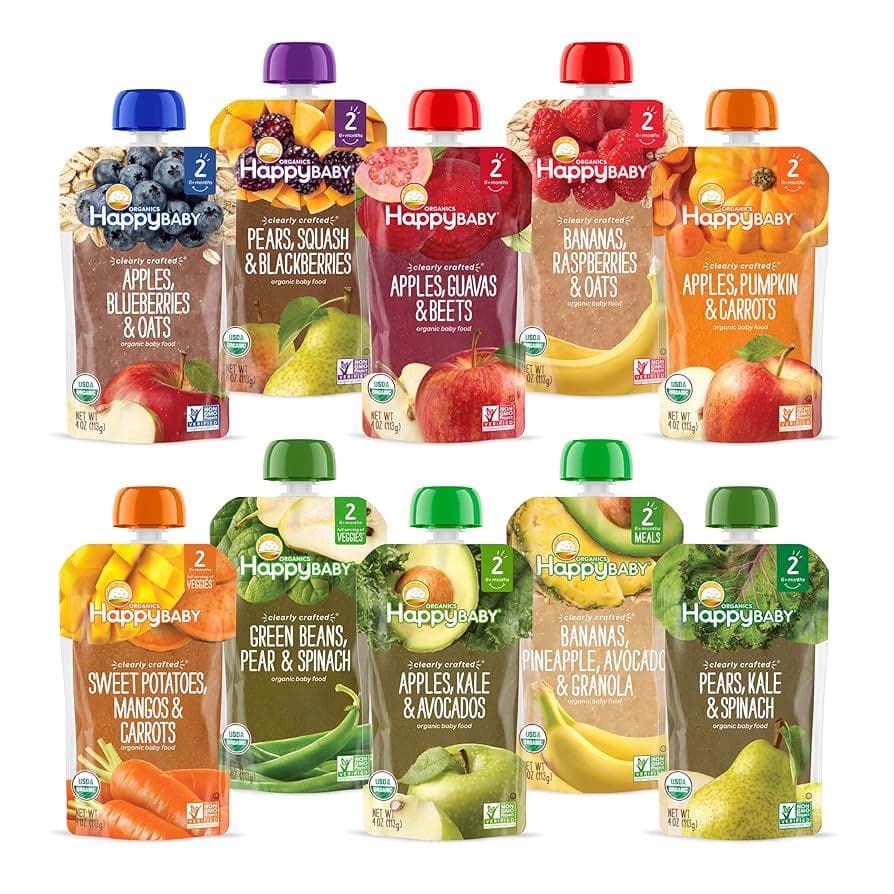
Happy Baby Pouches: Safe and Nutritious? | Parent's Guide
Discover everything you need to know about Happy Baby Pouches: A Parent's Guide to ensuring safe and nutritious choices amidst heavy metals concerns.
100% Independent.
Always.
We never monetize through brand deals, affiliate links, or ads — so you can trust our recommendations are always aligned with our users.
Frequently Asked Questions
What is the Olive app and how does it work?
Olive is a holistic health companion built to help you live cleaner and feel better. Scan a barcode and Olive shows you exactly what is in your food, your personal care products, and the things you bring into your home, then points you to a clean swap that actually makes a difference.
Inside the app you also get:
- Health coaching
- FDA recall alerts
- Prop 65-aligned baby food product lookups
- Proprietary lab testing data on your favorite products
- Video-assisted kitchen detox walkthroughs
- Maps of healthy restaurants and farmers’ markets near you
- Symptom tracking and logging
- Peptide and supplement dosage tracking
How does the Olive food and cosmetic ingredient scanner work?
You scan a product. Olive scores it from 0 to 100 (higher is cleaner), explains in plain language why it scored that way, flags the harmful stuff like seed oils, additives, hidden sugars, contaminants, and endocrine disruptors, and points you to a cleaner swap.
From there, Olive helps you actually change: a 28-day kitchen detox to start, habit building, coaching, and doctor-supervised peptide protocols.
What starts with one scan can end in more energy, a clear head, and a shopping cart you finally trust.
Which products can I scan: food, cosmetics, or bottled water?
All three. Scan food and drinks for the 0 to 100 score, with a breakdown of toxins, additives, processing, seed oils, and sugar.
Scan skincare, makeup, sunscreen, shampoo, and other personal care products and Olive rates every ingredient green, yellow, or red with a plain-language reason for the rating.
Scan bottled water and Olive checks it for contaminants such as fluoride, heavy metals, and microplastics.
How does Olive ensure the accuracy of its scan results?
We do our own independent lab testing for heavy metals (lead, cadmium, mercury, and arsenic) across roughly 400 products so far. That is more testing than most companies do, including Consumer Reports.
Our cosmetic ingredient rating system was built with the head of a chemical toxin working group, so every ingredient carries a documented reason behind its rating.
And Olive is independent. No ads, no affiliates, and we do not take money to change scores. Your subscription is what funds the testing, so Olive answers to you. All of it runs on a database of 10M+ products.
Can Olive be customized to my dietary needs?
Yes. Set your goals, your diet, and your allergies, and every score and swap adjusts to you. Keto, paleo, heart-healthy, Mediterranean, halal, kosher, gluten-free, and dairy-free are all covered.
If you react to gluten, dairy, nuts, soy, or anything else, Olive flags it before it reaches your cart.
Is Olive available for both Android and iOS?
Yes. Olive is live on both. Download Olive on the Apple App Store or get it on Google Play.
Is my data secure when I use Olive?
Yes. Your privacy comes first. Olive protects your personal information with strong security protocols, and your scans, your pantry, and your health details stay yours. You can read the details in our privacy policy.
How do I get started with Olive?
Start with the free quiz. It takes about five minutes, asks about your goals, your symptoms, and what is already in your kitchen, then hands you a personalized plan. Try Olive free.
Start with one scan.
Scan your food, personal care and home products
Independent scores backed by real lab testing
Cleaner swaps for you, and everyone you shop for